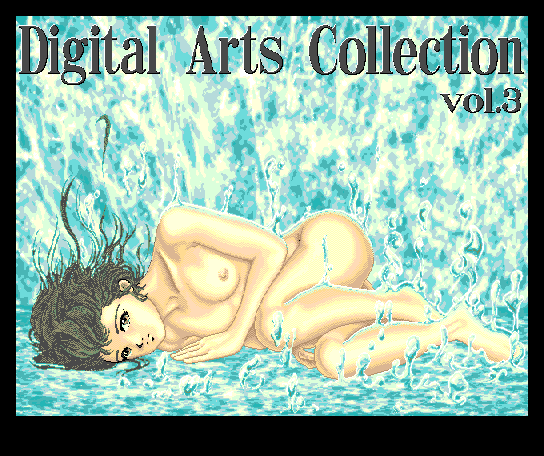
Digital Arts Collection vol. 03
- Original title
- Digital Arts Collection vol. 03
- Developed by
- CONNECT LINE
- Year
- 1994 (March)
- System
- MSX2
Technical Specifications
- Rating
-
0 votes, 0.00 avg
Log in to rate this software.
- RAM
- 64kB
- VRAM
- 128kB
- Sound
- -
- Kind
- Demo
- Tagoo database entry
- Visit (Japanese MSX database)
- Last updated on
- 12-05-2026
- Input Devices Supported
- Keyboard, Joystick
- Language
- Japanese
- Uses Kanji
- Yes
- Uses V9990
- No
Note
Help translation:
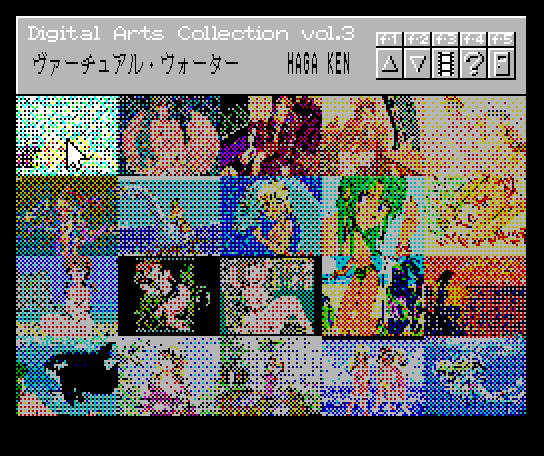
The title and icon of the artwork are displayed at the top of the screen.
A list of CG images is displayed at the bottom of the screen. The cursor keys move the arrow.
When you move the arrow over a CG image, the title of that image appears at the top of the screen.
Press the spacebar to display that CG image.
CG images that do not fit on a single screen are displayed using a scroll bar.
Pressing the up and down cursor keys scrolls the screen up and down slightly.
Press the [W] key to resize CGs that do not fit horizontally to 4/5 of their original size and redisplay them.
Press the [L], [M], and [R] keys to redisplay the image aligned to the left, center, or right, respectively.
Press the [U], [H], and [D] keys to redisplay the image aligned to the top, center, or bottom, respectively.
Press the [S] key to scroll from top to bottom and redisplay the image.
Press the spacebar to proceed. Then the description of the art work will be displayed.
Text that does not fit on a single screen can be viewed by pressing the up key to go to the previous screen or the down key to go to the next screen.
If you enable the CAPS LOCK key, the display will be in interlaced mode.
The title and icon of the artwork are displayed at the top of the screen.
A list of CG images is displayed at the bottom of the screen. The cursor keys move the arrow.
When you move the arrow over a CG image, the title of that image appears at the top of the screen.
Press the spacebar to display that CG image.
CG images that do not fit on a single screen are displayed using a scroll bar.
Pressing the up and down cursor keys scrolls the screen up and down slightly.
Press the [W] key to resize CGs that do not fit horizontally to 4/5 of their original size and redisplay them.
Press the [L], [M], and [R] keys to redisplay the image aligned to the left, center, or right, respectively.
Press the [U], [H], and [D] keys to redisplay the image aligned to the top, center, or bottom, respectively.
Press the [S] key to scroll from top to bottom and redisplay the image.
Press the spacebar to proceed. Then the description of the art work will be displayed.
Text that does not fit on a single screen can be viewed by pressing the up key to go to the previous screen or the down key to go to the next screen.
If you enable the CAPS LOCK key, the display will be in interlaced mode.
Groups & Mentions
Mentioned in Publications:
- Takeru Press 1994-8/09 on page 8 (ad)
Groups:
-
Digital Arts Collection
Previous: Digital Arts Collection vol. 01 (MSX2 | 1994)Next: Digital Arts Collection vol. 05 (MSX2 | 1994)
-
Takeru homebrew with nudity
Previous: Entasis (MSX2 | 1993)
Conversions
- Sharp X68000
- NEC PC-98